Diagnostic Centers
Give every scan a clear path to a report
Send studies from your existing imaging equipment, route them to a radiologist, and follow reports through to delivery. Your scan team can keep its usual acquisition workflow.
Request a demo
How it works
- 1
Acquire the images
The scan team completes the study using its existing equipment.
- 2
Check the handoff
The facility tracks whether the study reached its reading team.
- 3
Receive the report
The signed report returns through the facility’s agreed workflow.
How an imaging study moves through Cloud PACS
Explore each step from capture to review.
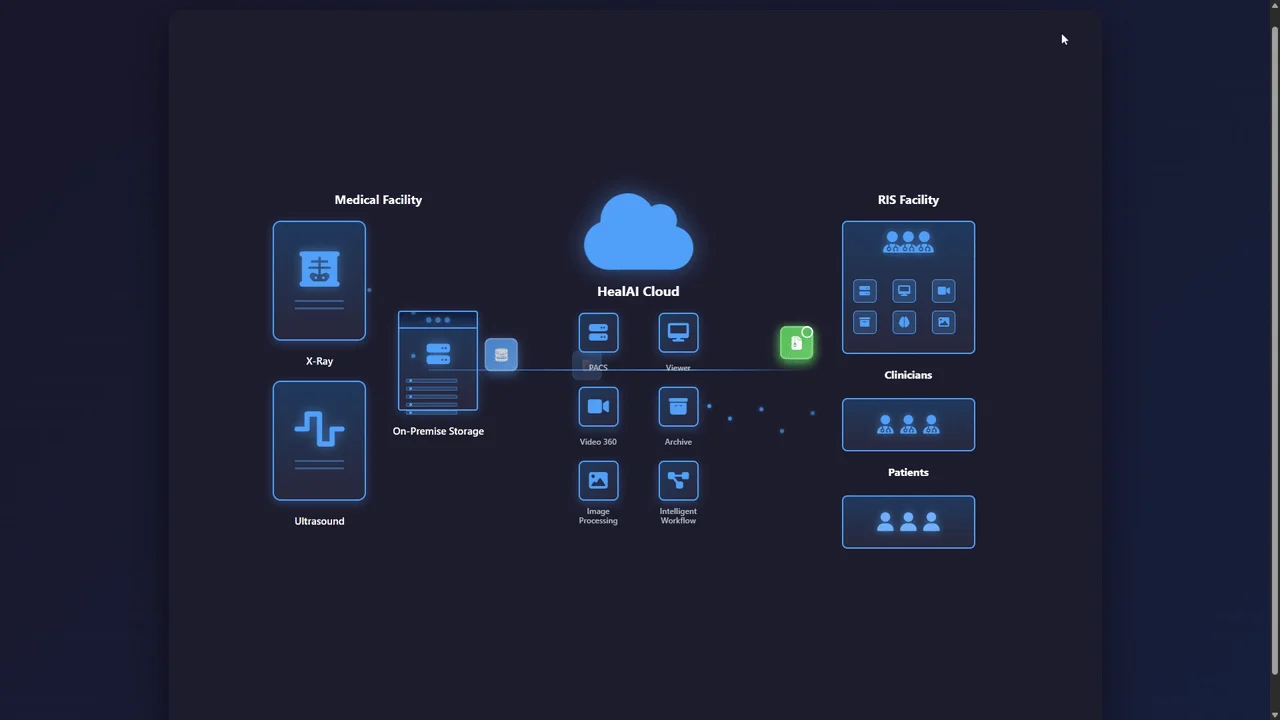
Imaging equipment sends a DICOM study to HealAI Cloud PACS.
Watch the original storage animation
Let the scan team focus on the next patient
The on-site relay receives studies from your scanners and sends them to Cloud PACS. Your staff can continue acquiring scans while the study reaches the reading team.
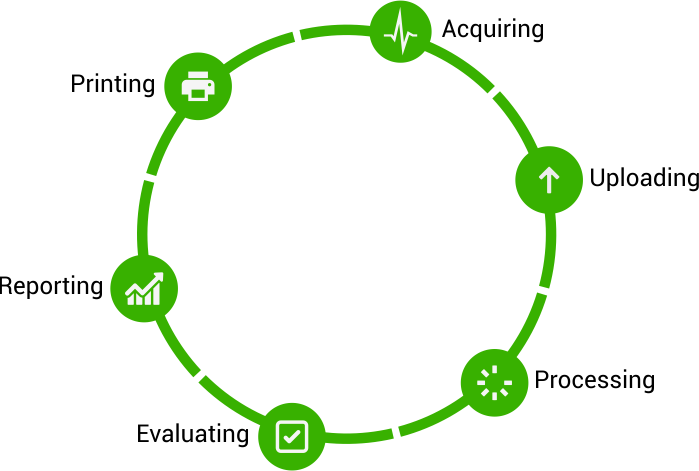
- Acquire the study as usual
- Send it from the scanner
- Track it through reporting
Know who has the study and what happens next
Assign a radiologist, check the report status, and follow up on studies that still need attention. Centers with several locations can manage this work across sites.
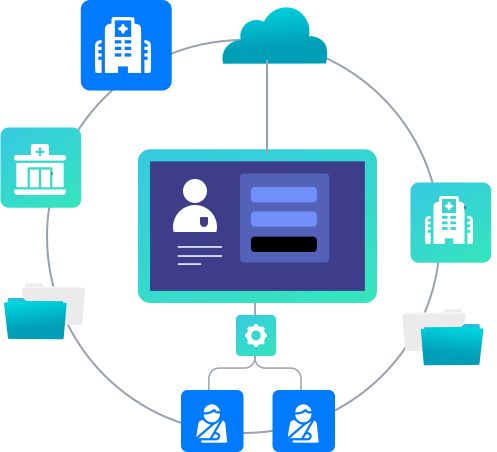
- Find the patient record
- Open a study from another site
- Review the images
Review the handoff before opening a new site
Send a sample study through the scanner, worklist, and report delivery process with the technologist, reader, and referring team. Record who follows up if a step is delayed.
In practice
A morning at a diagnostic center
Follow a study from acquisition through the day’s reading queue.
Acquire the study
The technologist uses the usual scanner workflow. The relay receives the study for upload.
Route the case
The facility assigns it to an authorized reader and follows its status in the reporting workflow.
Send the signed report
The reader reviews and signs the report, and the facility follows the handoff to the referring team.
Questions to bring to a demo
What if connectivity drops during the day?
The relay can queue studies locally and resume sending when the connection returns. Ask to see how staff distinguish a queued study from one that has reached Cloud PACS.
What should we test before rollout?
Use de-identified studies from the modalities you operate and run through both the normal intake flow and an interrupted upload.
Tell us how your team works
Share where studies come from, who reads them, and how reports reach the care team. We’ll use that context for your demo.
help@healai.care